 Nexus Mods
Orphaned Mods
When you delete a modlist, its downloaded archives stay behind. Tried Lorerim, Nordic Souls, or other lists? Those files remain forever.
Safely remove orphaned mods and old versions from your downloads folder. Free up hundreds of gigabytes without breaking your modlists.
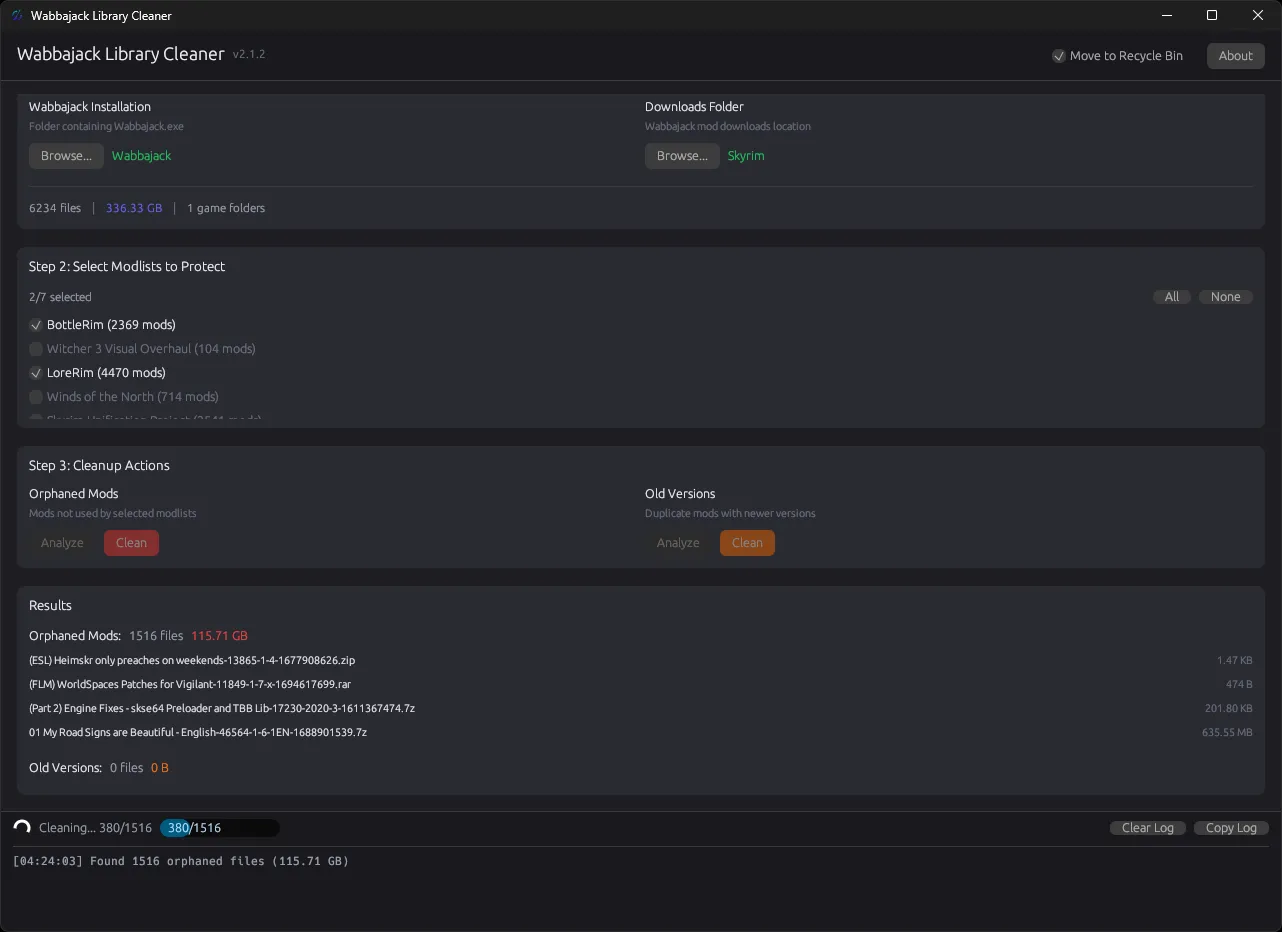
Wabbajack keeps your downloads to make updates faster, but this leads to massive accumulation of orphaned files and obsolete versions over time.
When you delete a modlist, its downloaded archives stay behind. Tried Lorerim, Nordic Souls, or other lists? Those files remain forever.
Mods update frequently. Wabbajack keeps every version for rollback. You might have 5-10 copies of the same mod sitting there.
Active modders commonly accumulate 200GB+ of redundant files. Some users report 500GB or more just in unused downloads.
Wabbajack Library Cleaner scans your downloads and lets you safely remove what you don't need.
Reads .wabbajack files to understand which mods your modlists actually need.
Find and remove mods not used by any of your active modlists.
Keep newest version of each mod, remove all the old duplicates.
Files move to WLC_RecycleBin folder, not permanently deleted. Easily restorable.
Four simple steps to reclaim your disk space. No technical knowledge required.
Point to where Wabbajack.exe is installed. Modlists are detected automatically.
Point to your mod downloads folder — the big one eating your disk space.
Check the modlists you're actively using. Everything else becomes fair game.
Hit scan to preview. Happy with results? Hit clean and watch space come back.
A clean, dark-themed interface built with modern GUI framework. Easy to use, hard to make mistakes.
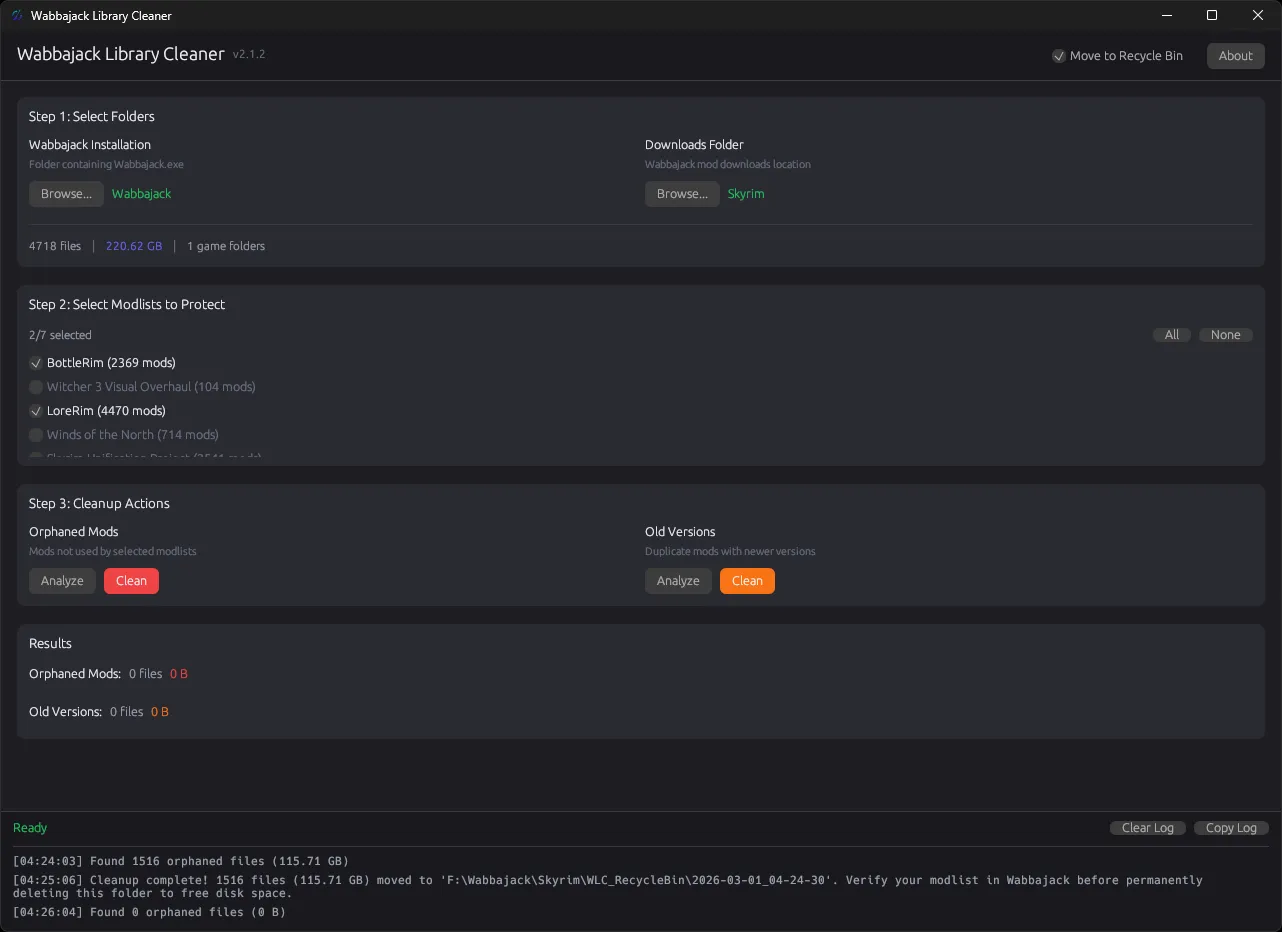
We understand how important your mod collection is. That's why we built multiple safety features to prevent any accidental data loss.
Files move to a timestamped WLC_RecycleBin folder instead of being permanently deleted. Review, restore, or wipe it when you're ready.
Won't delete files if it detects patches that need the main file, or same-version files with different content.
Always preview what will be deleted. See exact file counts and sizes before committing.
The code is on GitHub. See exactly what it does. No telemetry, no hidden behavior.
Got questions? We've got answers.
No. The orphan cleanup only removes mods not used by any of your selected modlists. If you select all your active modlists, everything they need stays.
Users typically recover 50-200 GB. If you've been modding for years, it could be 500GB or more.
Wabbajack will just re-download what it needs. Keeping old mods 'just in case' is usually not necessary.
Yes! Native Linux binaries are available. Perfect for Steam Deck users running Wabbajack through Proton.
To WLC_RecycleBin inside your downloads folder with a timestamp subfolder.
Yes, 100% free and open source under the MIT License. No ads, no premium features, no data collection.
Choose your platform and start cleaning. It's free, fast, and safe.